
Web Time Entry6.090714 - Download
You'll be able to download in few seconds.
Publisher Description


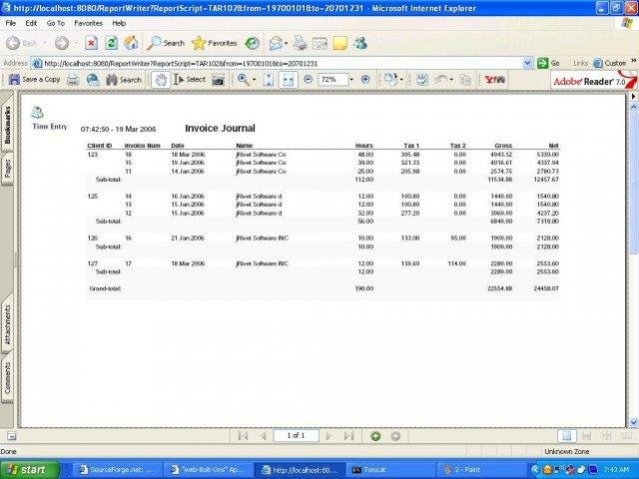

Web Time Entry is a Web based project time entry and client billing system. It can track, approve, and manage employee time incurred for projects and clients you define. It can schedule projects to employees and track time incurred on project schedul
- Time card entry by employee
- Time incurred is booked to projects, clients, employee earning codes, departments
- Easy interfacing to third party payroll systems
- Manager time sheet approval process.
- Project history by client and employee
- Employee expense tracker.
- Generate client invoices for project time incurred.
- Invoices extraction for easy interfacing to third party A/R systems
- PDF reports to print time sheets, employees expense reports, invoices
- Security is granted to reports and screens by user profile and user group
- Easy set-up - you will be up and running in 5 mins!
- Can be easily modified to support your company logos and splash screens
- Low network band width. Developed using standard MVC methodologies to ensure your network band width is minimized
About Web Time Entry
This Accounting & Finance program is available in English. It was last updated on 13 October, 2026. Web Time Entry is compatible with the following operating systems: Linux, Mac, Windows.
The company that develops Web Time Entry is paujones2005. The latest version released by its developer is 6.090714.
The download we have available for Web Time Entry has a file size of 30.2 MB. Just click the green Download button above to start the downloading process. The program is listed on our website since 2009-06-13 and was downloaded 0 times. We have already checked if the download link is safe, however for your own protection we recommend that you scan the downloaded software with your antivirus. Your antivirus may detect the Web Time Entry as malware if the download link is broken.
How to install Web Time Entry on your Windows device:
- Click on the Download button on our website. This will start the download from the website of the developer.
- Once the Web Time Entry is downloaded click on it to start the setup process (assuming you are on a desktop computer).
- When the installation is finished you should be able to see and run the program.
Program Details
System requirements
Download information
Pricing
Version History
version WebTimeEntry-6.090714
posted on 2009-06-13
version WebTimeEntry-6.090714
posted on 2009-06-13
Several fixes and updates
Disclaimer
External Download
We do not host Web Time Entry on our servers. We did not scan it for viruses, adware, spyware or other type of malware. This app is hosted by the software publisher and passed their terms and conditions to be listed there. We recommend caution when installing it.
The external download link for Web Time Entry is provided to you by apps112.com without any warranties, representations or guarantees of any kind, so access it at your own risk.
If you have questions regarding this particular app contact the publisher directly. For questions about the functionalities of apps112.com contact us.
